
iOS 12 adds a nice feature called Measure, based on the enhanced virtual reality feature AR to measure the distance and length of real-life widgets through the camera. This article will guide you how to use Measure to measure distances on iOS 12.
First, you open the Measure application, which will be automatically installed after you update to iOS 12. After opening the application, you will be asked to move, the device to identify them. plane around.
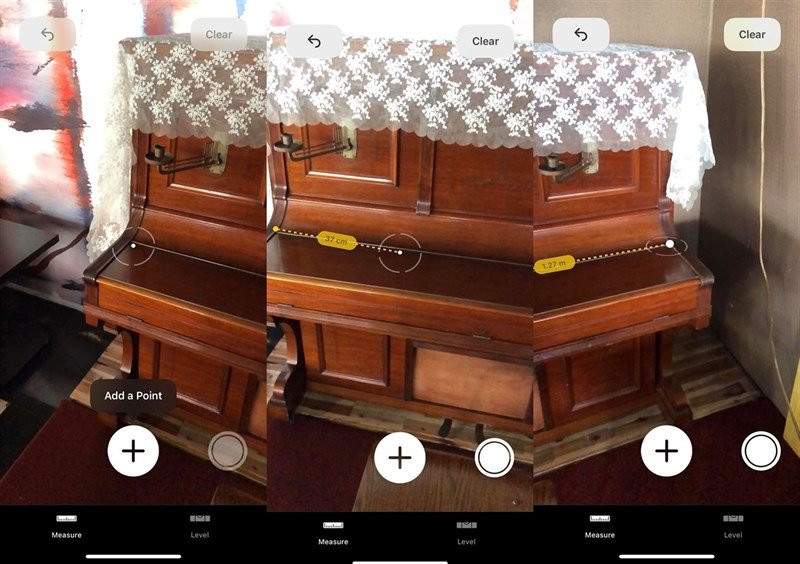
Then, a centered circle appears, you want to measure the distance just to circle at the starting point, and slowly to the point of destination. The application can only measure straight lines, but cannot measure curves or circles. You can capture the result with the circle below the right corner.
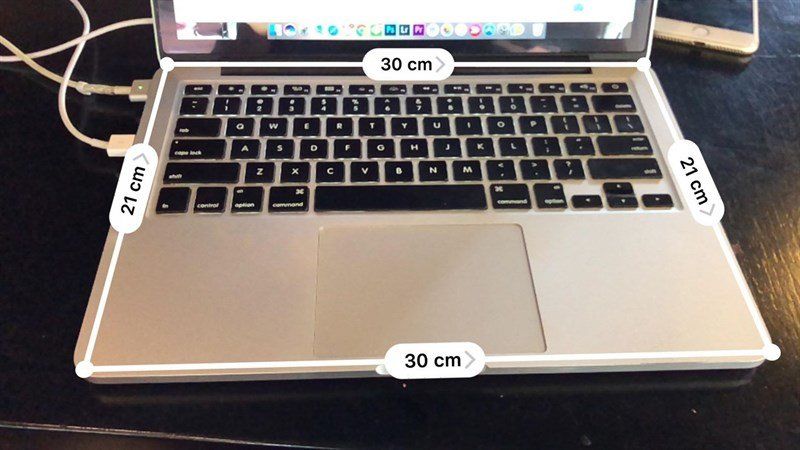
As I see, the application measurement is quite accurate, the deviation is only about 1cm. And there is one advantage over other AR applications that no Internet connection is needed.
If you find this article useful do not forget to share with your friends!