
Your Android phone is one of the most important tools you use every day for communication, work, entertainment, banking, and more. But like any device, smartphones can slow down, overheat, freeze, or experience software glitches over time. When that happens, one common question many users ask is: Should I power off my phone or simply restart it?
Page Contents:
If you’ve ever wondered about power off vs restart Android, you’re not alone. While both options can help improve performance, they serve different purposes. Understanding when to restart and when to fully shut down your Android phone can improve speed, extend battery life, and even protect your device’s hardware.
Understanding the Difference Between Power Off and Restart
Before deciding which option is better, it’s important to understand what each function actually does.
What Happens When You Restart Your Android Phone?
Restarting (or rebooting) your Android device turns the phone off and immediately turns it back on automatically. During this process: Your RAM (temporary memory) is cleared, Background apps are closed, Temporary software glitches are reset, System processes are refreshed, Network connections are re-established.
A restart is like giving your phone a quick refresh without manually shutting it down.
Benefits of Restarting Your Android Phone
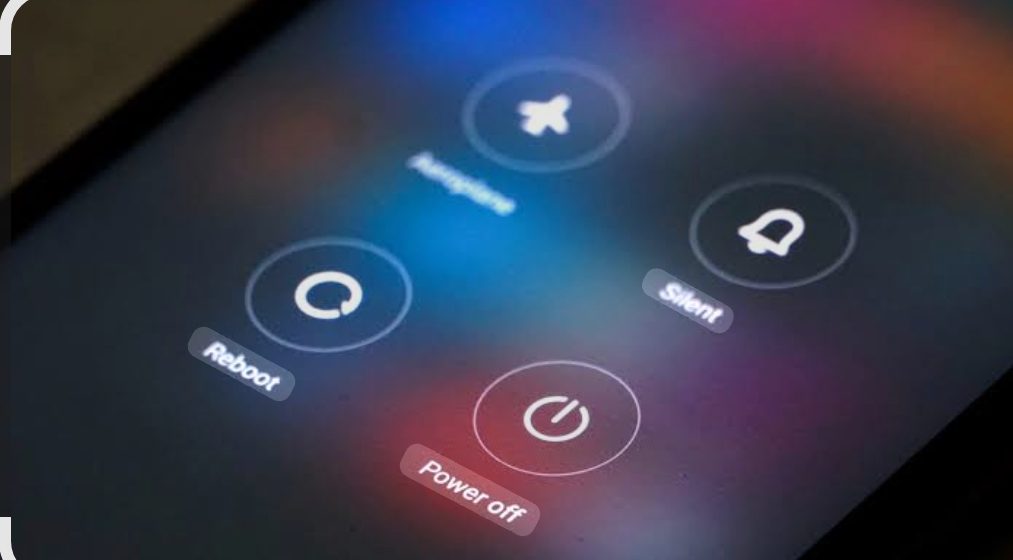
For most users, restarting is the easiest and most practical maintenance step.
Improves Speed and Performance
Over time, apps running in the background can consume RAM and processing power. Restarting your phone clears these processes, often making your device feel faster.
Example:
If your Android phone feels sluggish after days of use, a simple restart can significantly improve responsiveness.
Clears RAM and Background Apps
Many apps continue running even after you close them. Restarting ensures unnecessary apps are fully closed, freeing memory.
Restart Android phone benefits:
- Faster app launches
- Better multitasking
- Reduced lag
Fixing Minor Software Glitches
If your phone has: something like Frozen apps, Touchscreen delays, Bluetooth issues, Wi-Fi connection problems.
Restarting often solves these without needing advanced troubleshooting.
Resolves Connectivity Problems
A reboot refreshes your: Mobile network, Wi-Fi, Bluetooth, and GPS, This can fix weak signal issues or random disconnects.
Benefits of Powering Off Your Android Phone
Although less commonly used daily, powering off has unique advantages.
Helps Cool Down Overheating Devices
If your phone becomes extremely hot from gaming, video editing, or prolonged use, powering it off completely can help it cool faster than a restart.
Saves Battery During Long Breaks
If you won’t use your phone for several hours such as overnight travel or meetings powering off conserves more battery than leaving it on.
Gives Hardware Full Rest
Just like computers, smartphones benefit from occasional full shutdowns to reset hardware components.
Useful for Serious Troubleshooting
If restarting doesn’t fix persistent issues like, Severe lag ,SIM card errors, Boot problems .A complete shutdown may help.
Power Off vs Restart Android: Which One Should You Choose?
The better option depends on your specific situation.
For Daily Use.Restart Wins just If your goal is for Faster performance, Quick bug fixes, Routine maintenance, (Restart is better.)
For Overheating: Power Off Is Better
If your phone is overheating badly, a full shutdown allows internal components to cool completely.
For Battery Saving: Power Off Is Better
If you won’t use your phone for an extended time, shutting down preserves battery.
For Frozen Devices: Restart First
Use restart or force restart before trying full shutdown.
Should I Power Off My Phone Daily?
This is a common question.
The Short Answer:
No, you don’t need to power off your phone daily.
Modern Android phones are designed to stay on for long periods. For most people:
Recommended:
- Restart every few days
- Power off occasionally
- Shut down during major issues or overheating
Why Daily Power Off Isn’t Necessary:
Android manages background tasks automatically Frequent shutdowns may be inconvenient for it Restarting usually provides enough optimization.
How Often Should You Restart Your Android Phone?
For optimal performance:
Best Practice:
Restart every 2–7 days
This helps: Clear memory leaks Refresh apps, Improve battery performance,Reduce software bugs.
Heavy users (gaming, multitasking, content creation) may benefit from restarting more often.
Common Android Problems Restarting Can Fix
Slow Performance
Too many cached processes can slow your phone.
Network Issues
If mobile data or Wi-Fi acts up, rebooting often helps.
Bottom Line
Restarting is generally the better everyday choice for Android users because it’s faster, more convenient, and solves most common issues. Meanwhile, powering off is best for serious overheating, hardware rest, or extended downtime.
By using both strategically, you can improve your Android phone’s speed, battery life, and long-term health. So the next time your device acts up, you’ll know exactly which option to choose.