
Facebook will only let you change your username once every few months, and the name you go for has to be close to your real, legit name, even if rampant sobriquets will not be rejected.
Twitter, though, does not have this restriction as regards usernames.
It is possible to change your Twitter username every day if that is what you want, and the name can be whatever you wish it to be. It could be your real name, the name of your favorite celeb or even some random crap you just fancy.
Changing your Twitter name will let you become more anonymous on the platform, it will aid you to select titles that can be easily found in searches.
You Might Also Want To Read- How To Download Videos From Twitter On iPhone And iPad?
But you must note, if your Twitter account is verified, changing your Twitter username will make you lose that verification badge.
I don’t care about why you want to change your username, my job is to show you how to go about it below:
How Can I Change My Twitter Username?
- Get yourself logged into your Twitter account.
- Tap on your Twitter avatar at the top right corner of your PC and top left corner for your smartphone. After that, tap “Settings and privacy” on the menu that is visible.
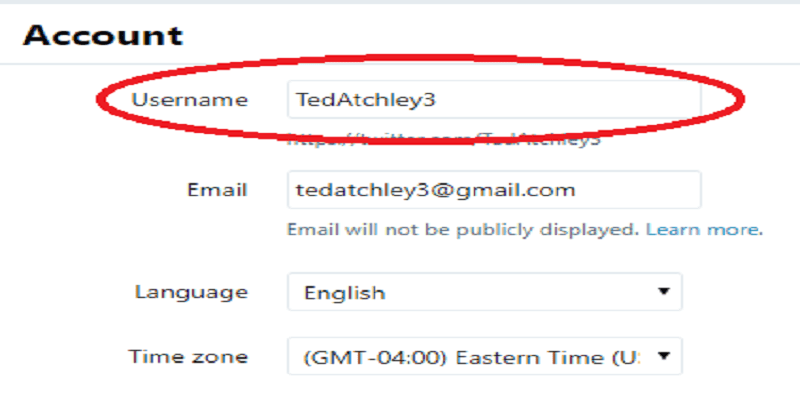
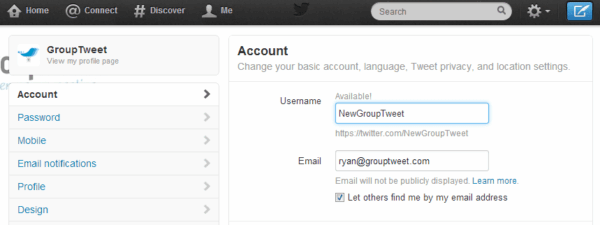
- In the box named “Username,” just enter the new username you wish to use. If it is available, a green lettering will be visible and it will read, “Available.”
- Then tap “Save” at the bottom of the display.
You Might Also Want To Read- How To Know If Anyone Muted You On Twitter?
And you are done.