
Wireless router and MiFi admin IP address is a means by which we connect to internet networks in our homes and offices. To reach out to the router web interface or the control panel and network settings, you need to use the default router IP address.
Page Contents:
Router/MiFi makers make use of several IP addresses like 192.168.0.1, 198.168.1.1, or something like 10.0.0.1, but there are other varieties too.
The term “MiFi” (derived from the word “WiFi” for Wlan) is another name for mobile WLAN routers. MiFi routers are small devices that connect to the mobile network over 2G, 3G, or 4G and create a WLAN network.
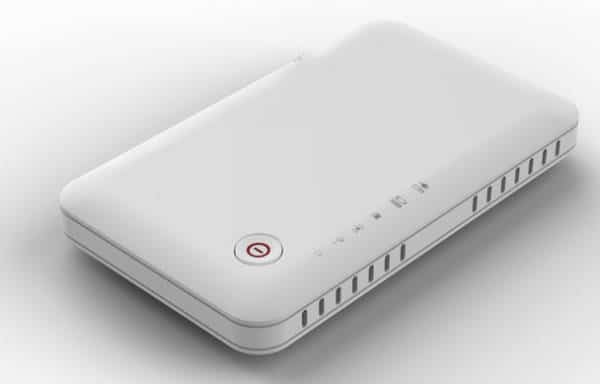
Find Your Router IP Address
Method 1:
Here are the steps you need to take if you must locate your IP address.
- Go to the Start menu on the taskbar and input CMD in the search box. You will notice a black screen come up.
- Enter the command ipconfig in the command prompt. It will help display the default IP settings and configuration of the system along with the router connected to it.
It will look like something you see below:
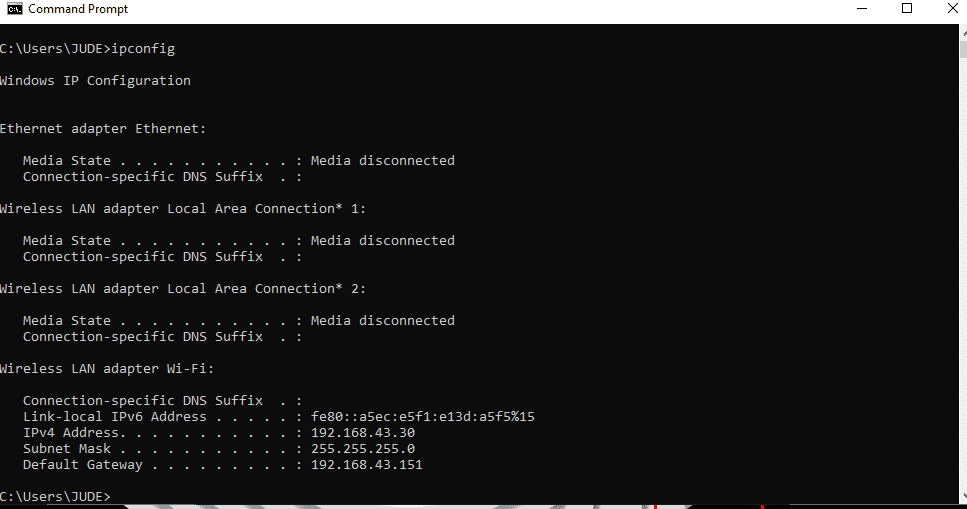
As you can see here, the default router IP address is 192.168.43.151 so it is a way to find the default IP address.
Method 2:
When you purchase a new router, you will be needing the admin IP address and password to make some changes to your router settings. Another way to find out the IP address of the network is as follows:
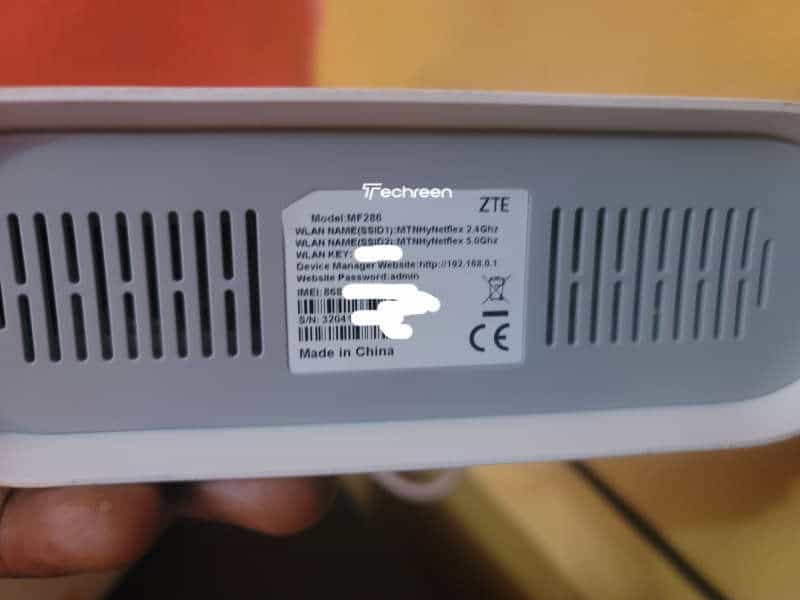
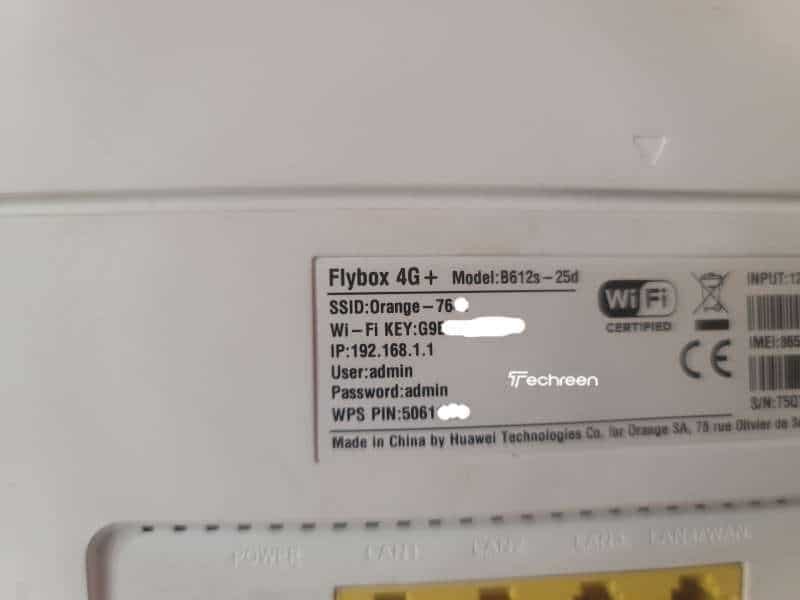
- Check the bottom of the hardware for the address can be labeled there. If it is not, you can get it from the manual or the document.
- Internet service providers also tell you the router address if they deliver it to you in person. They also give you the login credentials so you can access the internet.
Each Router to 2 IP Address
Every router, no matter the brand, comes with two IP addresses. One is public, and the other is private. The public is known as WAN which stands for Wide Area Network and the private is known as LAN, which stands for Local Area Network.
The public address is used to access the internet from the outside world, while the private is what all the devices inside the network will use to access the internet.
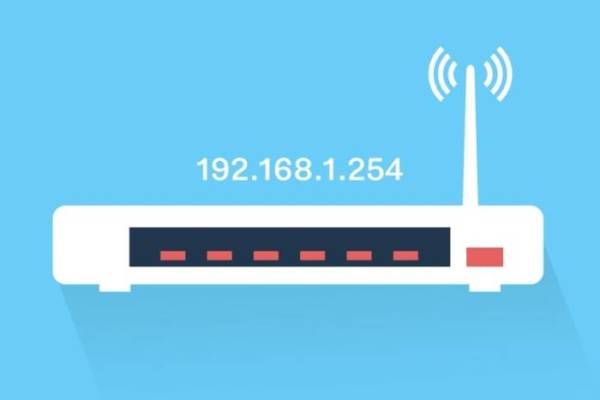
Local IP Address
These are known as Private IP addresses. People also call them Gateway IP addresses. You can use this to configure the router’s settings, make network connectivity modifications, or set up a new one, troubleshoot network issues. It is good for users to make use of this to log into the router’s administrator console.
List of Widely Used Wireless Router or MiFi Admin IP Addresses
Despite the differences in admin IP addresses, here are those that fall within the private IP address ranges:
• 192.168.0.0 to 192.168.255.255
• 10.0.0.0 to 10.255.255.2555
• 172.16.0.0 to 172.31.255.255
However, there are others that fall outside of this range. They are commonly used on routers as well. The default IP addresses for 170 common wireless routers or MiFi admin IP addresses are also listed below in this tutorial, and for easy reference, we break them down into 45+ brands: They are as follows:
| Router Brand | Admin Login IP |
| Cisco | 192.168.1.1 192.168.0.30 192.168.0.50 10.0.0.1 10.0.0.2 |
| D-Link | 192.168.1.1 192.168.0.1 192.168.0.10 192.168.0.101 192.168.0.30 192.168.0.50 192.168.1.254 192.168.15.1 192.168.254.254 10.0.0.1 10.0.0.2 10.1.1.1 10.90.90.90 |
| Airlink | 192.168.1.1 192.168.2.1 |
| Airlive | 192.168.2.1 |
| Airties | 192.168.2.1 |
| TP-Link | 192.168.1.1 192.168.0.1 192.168.0.254 |
| Trendnet | 192.168.1.1 192.168.0.1 192.168.0.30 192.168.0.100 192.168.1.100 192.168.1.254 192.168.10.1 192.168.10.10 192.168.10.100 192.168.2.1 192.168.223.100 200.200.200.5 |
| Planet | 192.168.1.1 192.168.0.1 192.168.1.254 |
| U.S. Robotics | 192.168.1.1 192.168.2.1 192.168.123.254 |
| 3Com | 192.168.1.1 192.168.2.1 |
| Actiontec | 192.168.1.1 192.168.0.1 192.168.2.1 192.168.254.254 |
| Amped Wireless | 192.168.3.1 |
| Belkin | 192.168.1.1 192.168.2.1 10.0.0.2 10.1.1.1 |
| Billion | 192.168.1.254 10.0.0.2 |
| Buffalo | 192.168.1.1 192.168.11.1 |
| Dell | 192.168.1.1 |
| Eminent | 192.168.1.1 192.168.0.1 192.168.8.1 |
| Gigabyte | 192.168.1.254 |
| Apple | 10.0.1.1 |
| Edimax | 192.168.2.1 |
| Hawking | 192.168.1.200 192.168.1.254 |
| Huawei | 192.168.1.1 192.168.0.1 192.168.3.1 192.168.8.1 192.168.100.1 10.0.0.138 |
| LevelOne | 192.168.0.1 192.168.123.254 |
| MSI | 192.168.1.254 |
| Netgear | 192.168.0.1 192.168.0.227 |
| NetComm | 192.168.1.1 192.168.10.50 192.168.20.1 10.0.0.138 |
| Netopia | 192.168.0.1 192.168.1.254 |
| Repotec | 192.168.1.1 192.168.10.1 192.168.16.1 192.168.123.254 |
| Senao | 192.168.0.1 |
| Siemens | 192.168.1.1 192.168.0.1 192.168.1.254 192.168.2.1 192.168.254.254 10.0.0.138 10.0.0.2 |
| Sitecom | 192.168.0.1 192.168.1.254 192.168.123.254 10.0.0.1 |
| SMC Networks | 192.168.1.1 192.168.0.1 192.168.2.1 10.0.0.1 10.1.10.1 |
| Asus | 192.168.1.1 192.168.2.1 10.10.1.1 |
| Aztech | 192.168.1.1 192.168.2.1 192.168.1.254 192.168.254.254 |
| 2Wire | 192.168.1.1 192.168.0.1 192.168.1.254 10.0.0.138 |
| Sonicwall | 192.168.0.3 192.168.168.168 |
| Linksys | 192.168.1.1 192.168.0.1 192.168.1.10 192.168.1.210 192.168.1.254 192.168.1.99 192.168.15.1 192.168.16.1 192.168.2.1 |
| Microsoft | 192.168.2.1 |
| Motorola | 192.168.0.1 192.168.10.1 192.168.15.1 192.168.20.1 192.168.30.1 192.168.62.1 192.168.100.1 192.168.102.1 192.168.1.254 |
| SpeedTouch | 10.0.0.138 192.168.1.254 |
| Sweex | 192.168.15.1 192.168.50.1 192.168.55.1 192.168.251.1 |
| Tenda | 192.168.1.1 192.168.0.1 |
| Thomson | 192.168.0.1 192.168.1.254 192.168.100.1 |
| Zoom | 192.168.1.1 192.168.2.1 192.168.4.1 192.168.10.1 192.168.1.254 10.0.0.2 10.0.0.138 |
| ZTE | 192.168.1.1 192.168.0.1 192.168.100.100 192.168.1.254 192.168.2.1 192.168.2.254 |
| Zyxel | 192.168.1.1 192.168.0.1 192.168.2.1 192.168.4.1 192.168.10.1 192.168.1.254 192.168.254.254 10.0.0.2 10.0.0.138 |
Conclusion
It shouldn’t be a problem for you to find your wireless router or MiFi admin IP addresses. Just make sure you type in the parameters correctly and everything will be fine. Also, you have seen some of the most common admin IP addresses. There are others as well but the ones here are used by very popular companies in the world.